GERP ODOO Course
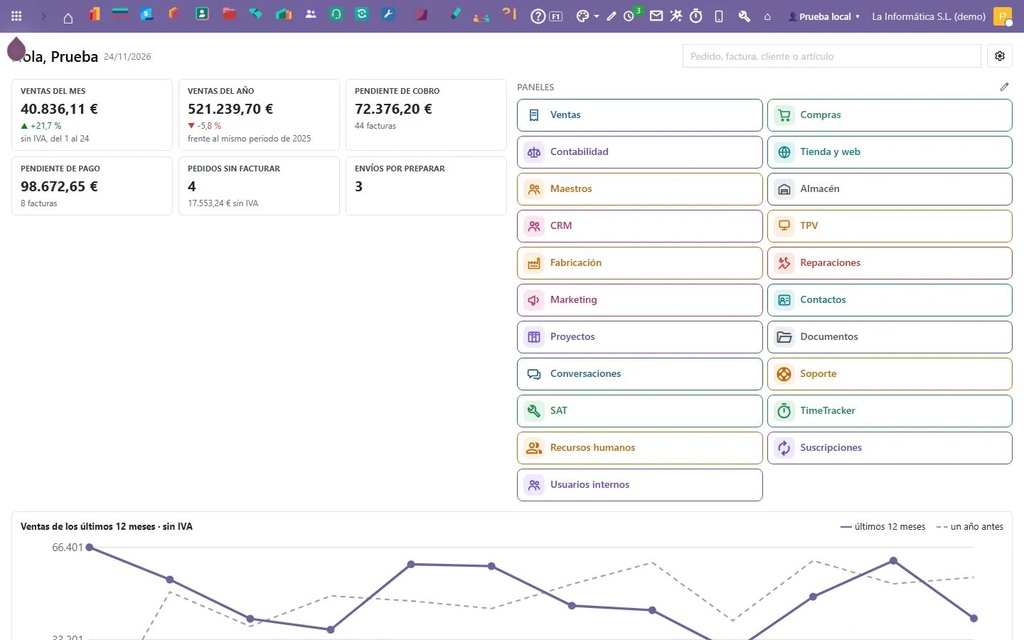
The complete GERP ODOO course: 100 lessons with screenshots, animated mockups and review questions.
| Responsible | OdooBot |
|---|---|
| Last Update | 11/24/2026 |
| Completion Time | 6 hours 50 minutes |
| Members | 2 |
-
Welcome and first steps (empty)5Lessons · 13 min
-
Preview New
-
Log in and say who you areNew
-
The processes, at a glanceNew
-
AI assistant (Ask me)New
-
Review: first stepsNew 10 xp
-
-
Dashboards and menus (empty)13Lessons · 41 min
-
Home and dashboardsNew
-
The dashboards of each areaNew
-
The Sales dashboardNew
-
The Purchases dashboardNew
-
The Shop and web dashboardNew
-
The Master data dashboardNew
-
The Warehouse dashboardNew
-
The Manufacturing dashboardNew
-
The Support dashboardNew
-
The SAT dashboardNew
-
The TimeTracker dashboardNew
-
The top menus, option by optionNew
-
Review: dashboards and menusNew 10 xp
-
-
Internal users and permissions (empty)6Lessons · 15 min
-
What internal users areNew
-
Add a person, step by stepNew
-
Permissions, one by oneNew
-
Permissions by company, devices and access logNew
-
Visible menus and bar iconsNew
-
Review: internal users and permissionsNew 10 xp
-
-
Sales (empty)19Lessons · 1 hr 36 min
-
Sales: quotes, orders and invoicesNew
-
Document linesNew
-
TPVNew
-
TPV GestioERPNew
-
Management dashboardNew
-
ReceivablesNew
-
Fees (recurring invoicing)New
-
Claim pending invoicesNew
-
RepairsNew
-
Custom listsNew
-
Texts for documentsNew
-
Live products and account statementNew
-
Send by WhatsAppNew
-
CRM (opportunities)New
-
Email marketingNew
-
Support (tickets)New
-
SAT (technical service)New
-
Support: logged hoursNew
-
Review: salesNew 10 xp
-
-
Purchases (empty)4Lessons · 21 min
-
PurchasesNew
-
Invoice scanningNew
-
Expenses with OCR and AI (receipts)New
-
Review: purchasesNew 10 xp
-
-
Master data (empty)9Lessons · 44 min
-
ContactsNew
-
Customer and supplier recordNew
-
Search with AINew
-
Product photosNew
-
Component photos in ManufacturingNew
-
Company groupNew
-
Company group: brandsNew
-
Brands with imageNew
-
Review: master dataNew 10 xp
-
-
Warehouse (empty)10Lessons · 1 hr 7 min
-
WarehouseNew
-
Delivery notesNew
-
Shipments with carrierNew
-
Barcode readerNew
-
ManufacturingNew
-
QualityNew
-
Labels (product, shelf and traceability)New
-
Labels by direct printingNew
-
Inventory at date with totalsNew
-
Review: warehouseNew 10 xp
-
-
Accounting (empty)4Lessons · 16 min
-
AccountingNew
-
AnalyticsNew
-
TreasuryNew
-
Review: accountingNew 10 xp
-
-
Shop and web (empty)4Lessons · 13 min
-
Support: form on the websiteNew
-
Shop with GestioERP designNew
-
Shop and webNew
-
Review: shop and websiteNew 10 xp
-
-
Tools (empty)11Lessons · 38 min
-
TimeTracker (time control)New
-
EmailNew
-
Tasks and hoursNew
-
Design of the documentsNew
-
Documents (files)New
-
Import from another programNew
-
Customize (Studio)New
-
ProjectsNew
-
CalendarNew
-
SpreadsheetsNew
-
Review: toolsNew 10 xp
-
-
Documents (empty)5Lessons · 44 min
-
Document signingNew
-
Direct printing (Windows Print Bridge)New
-
Wiki (knowledge)New
-
External document storageNew
-
Review: documentsNew 10 xp
-
-
To finish (empty)1Lessons · 2 min
-
And now, what?New
-
Start with the dashboards and menus, continue with the internal users and their permissions and then go to the area you are going to use: sales, purchases, warehouse, accounting, shop, tools and documents.