GERP ODOO Course
Completed
Welcome: what GERP ODOO is like
GERP ODOO is Odoo with the GestioERP way of working: you log in, you see your figures, and each area has its dashboard with what is done most, one click away.
How it is built
Everything opens the same way, whether it is a sale, a purchase or a journal entry: from Home to the area's dashboard, from there to a list, from the list to the record and, if needed, to the PDF.

▶ In motion: how to open anything, step by step.
- Home: your figures, the dashboards of each area and what is pending.
- Dashboard: the area's figures, the buttons for what is done most and its tabs.
- List: each tab is a list with search box and filters; ↑ ↓ and Enter to open.
- Record: the document or the record, with its buttons on top and the lines below.
- PDF: it is shown alongside, printed or sent by email or WhatsApp.
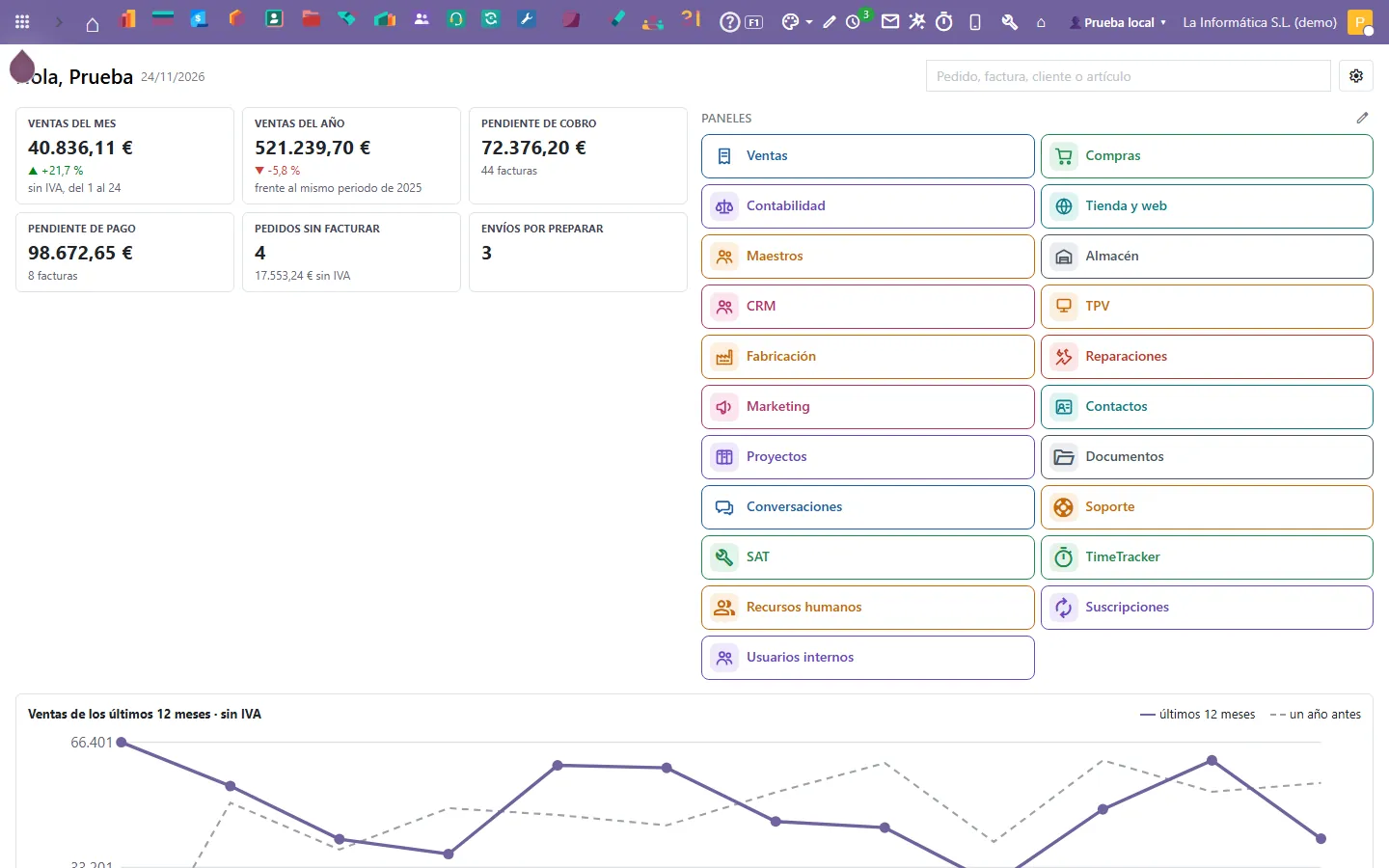
How to follow the course
- The course is organised in blocks: first the dashboards and menus, then the internal users and their permissions and, after that, each area with its modules.
- Each lesson carries real screenshots of the demo company and mockups in motion: a cursor moves across the screen point by point and below it says what each thing is.
- At the end of each block there are some review questions.
- You do not need to follow the order: go to the block for what you are going to use.
The keyboard
All of GERP ODOO can be used without a mouse. The most used:
| F1 | Help for the place where you are |
| ? | Keyboard help |
| Esc | Back to the previous screen |
| Alt + number | Open a top menu |
| ← ↑ → ↓ | Moving through figures, buttons, menus and rows |
| Enter | Open the highlighted item |
| PgDn / PgUp | Skip a page in a list |
A question while you work? Press F1 and the help for that screen opens, or ask the AI Assistant in the top bar.
How it is built and how to follow the course.
Rating
0
0
There are no comments for now.
Join this Course
to be the first to leave a comment.