Printer per action and per user
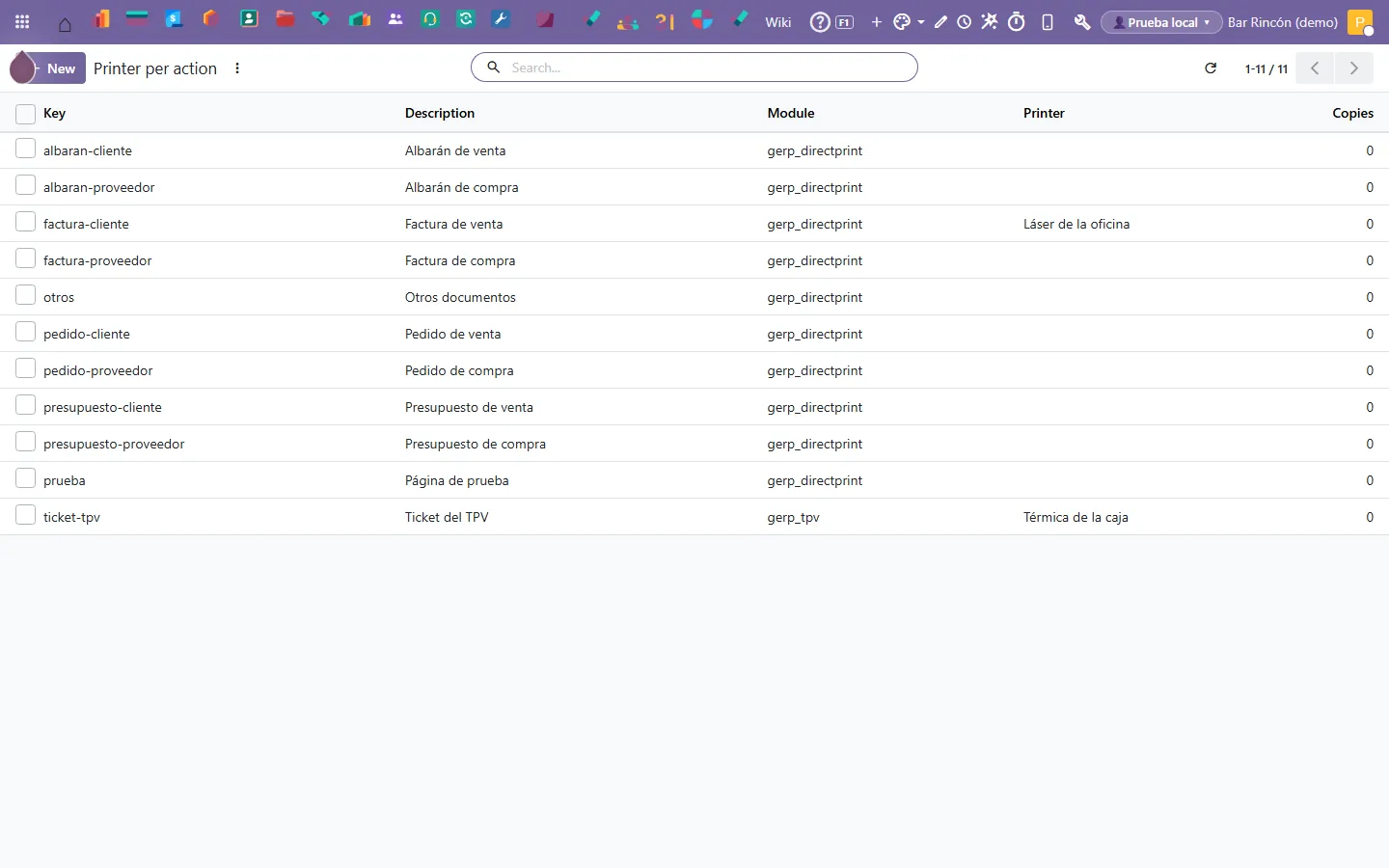
Each document is printed with an action (sales invoice, purchase delivery note…). You can assign a printer to each action and, in addition, a printer to each user, for everything or only for one action.

▶ In motion: printer per action and per user, point by point.
- 1The actions the module brings: sales and purchase invoice, delivery note, order and quote, «other documents» and the test page. Other modules can register their own.
- 2For each action you choose the printer and the copies (0 = the printer's own). This way invoices can come out on the laser printer and delivery notes on the dot matrix.
- 3In Printer by user a printer is assigned to a user, for all actions (Action field empty) or only for one; each user can have only one per action.
- 4The order: first the user's one for that action, then the user's one for everything, then the action's one and finally the default one.
How it is done
- Open Documents › Direct printing › Printer per action.
- On each row (Factura de venta, Albarán de venta, Ticket del TPV…) choose the printer and, if you wish, the copies (0 = the printer's).
- In Printer per user press New: the user, their printer and, if it is only for one thing, the action (factura-cliente…).
- Print a document and check in Print jobs which printer it went to.
Rating
There are no comments for now.
to be the first to leave a comment.