Twin printers
If the same network printer is registered on two computers with the same Windows name, they are twins: if one computer is off, the job passes automatically to the other. This way the printer keeps working even if one machine is turned off.

▶ In motion: twin printers, point by point.
- 1The computer the job was assigned to has not made contact in the last 2 minutes.
- 2Another connected computer has a printer registered with the same Windows name (and, if by IP, bridge version 1.6 or higher).
- 3When you choose a printer, Odoo uses the connected twin; jobs that were already waiting move to the computer that connects. If none is connected, the job waits in the queue.
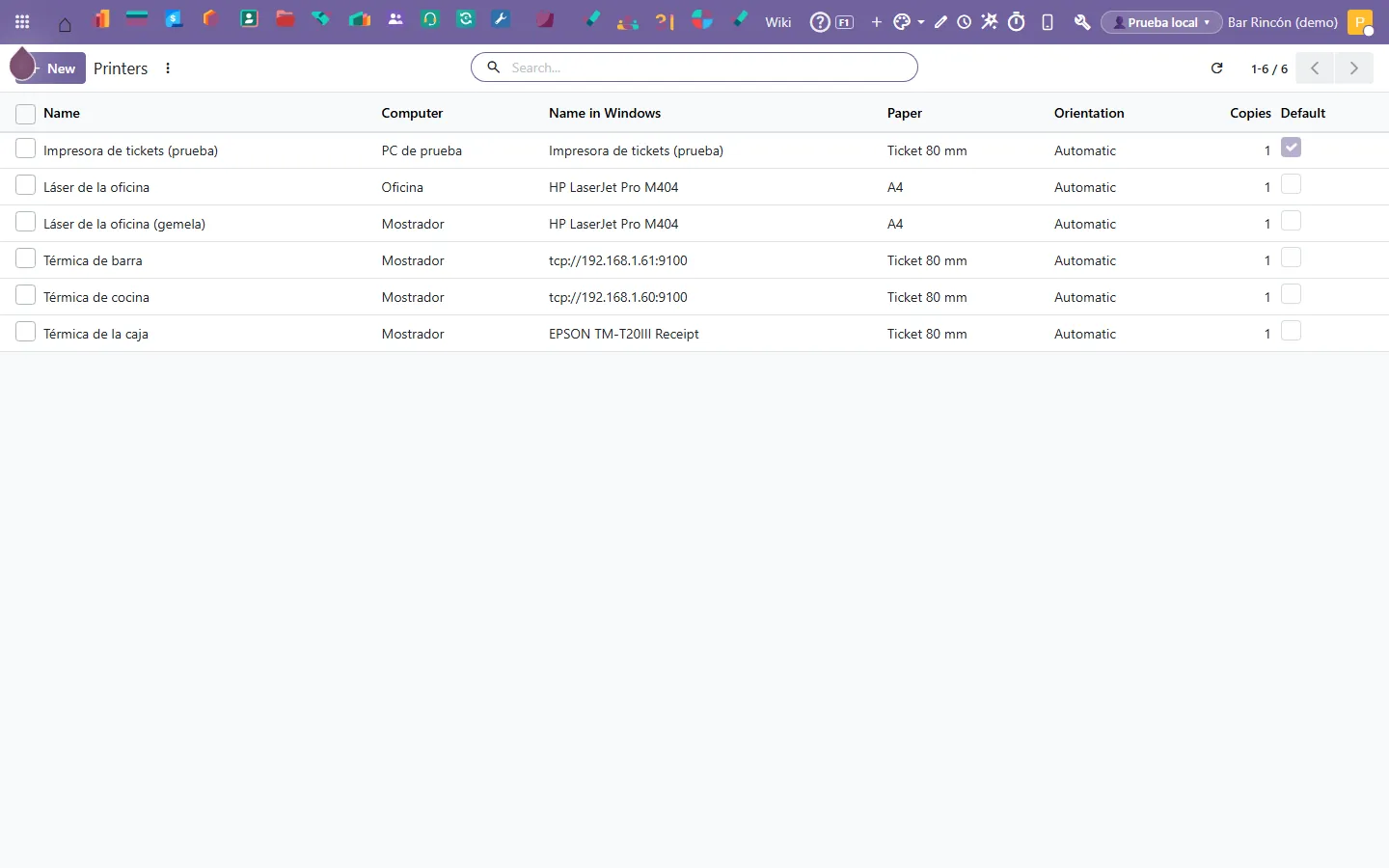
How it is done
- Add the printer on each computer with exactly the same «Name in Windows».
- Keep both computers with GestioERP for Windows and the bridge running.
- Check in Print jobs which computer each job went through.
Rating
0
0
There are no comments for now.
Join this Course
to be the first to leave a comment.