Permissions by company, devices and access log
Three more things on the Internal users screen: permissions per company, devices and the access log.
Permissions by company
- In Companies they work in check where the person works. With none checked, in all.
- What they can see in: lets you choose the company and set their permissions there: in one they can handle the accounting and in another only the sales.
- Copy to all their companies sets the same permissions on all of them at once.
Access log
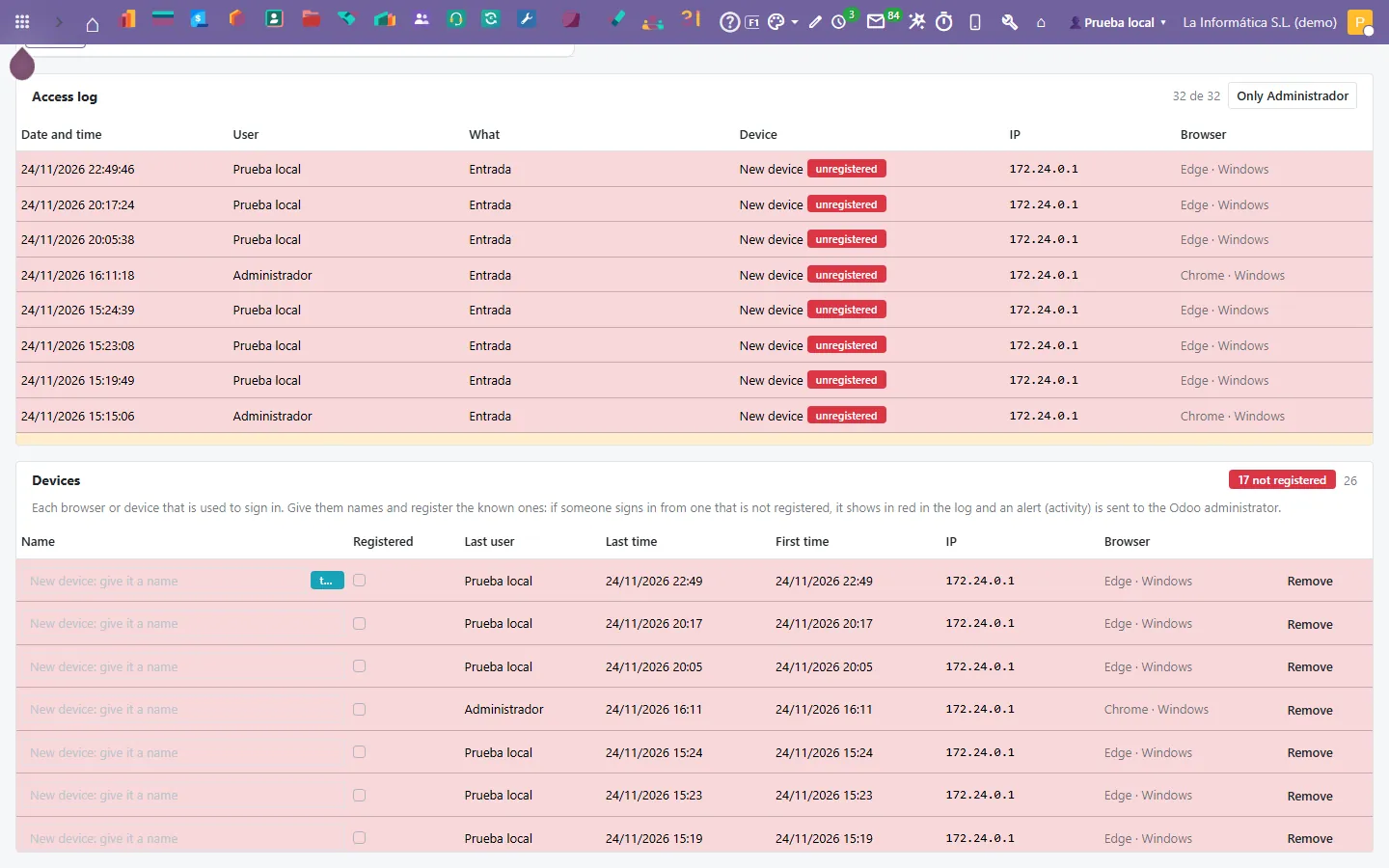
Below, every access is recorded: date and time, user, what they did (sign in, sign out, a failed attempt), device, IP and browser. An access from a device that is not registered is highlighted.
Devices
- Each browser or computer, tablet or mobile from which someone signs in ends up in the Devices list.
- Give it a name («Counter», «Marta's laptop») and mark it as registered: this tells the known ones apart from the unknown ones.
- Remove deletes it from the list.
Rating
0
0
There are no comments for now.
Join this Course
to be the first to leave a comment.